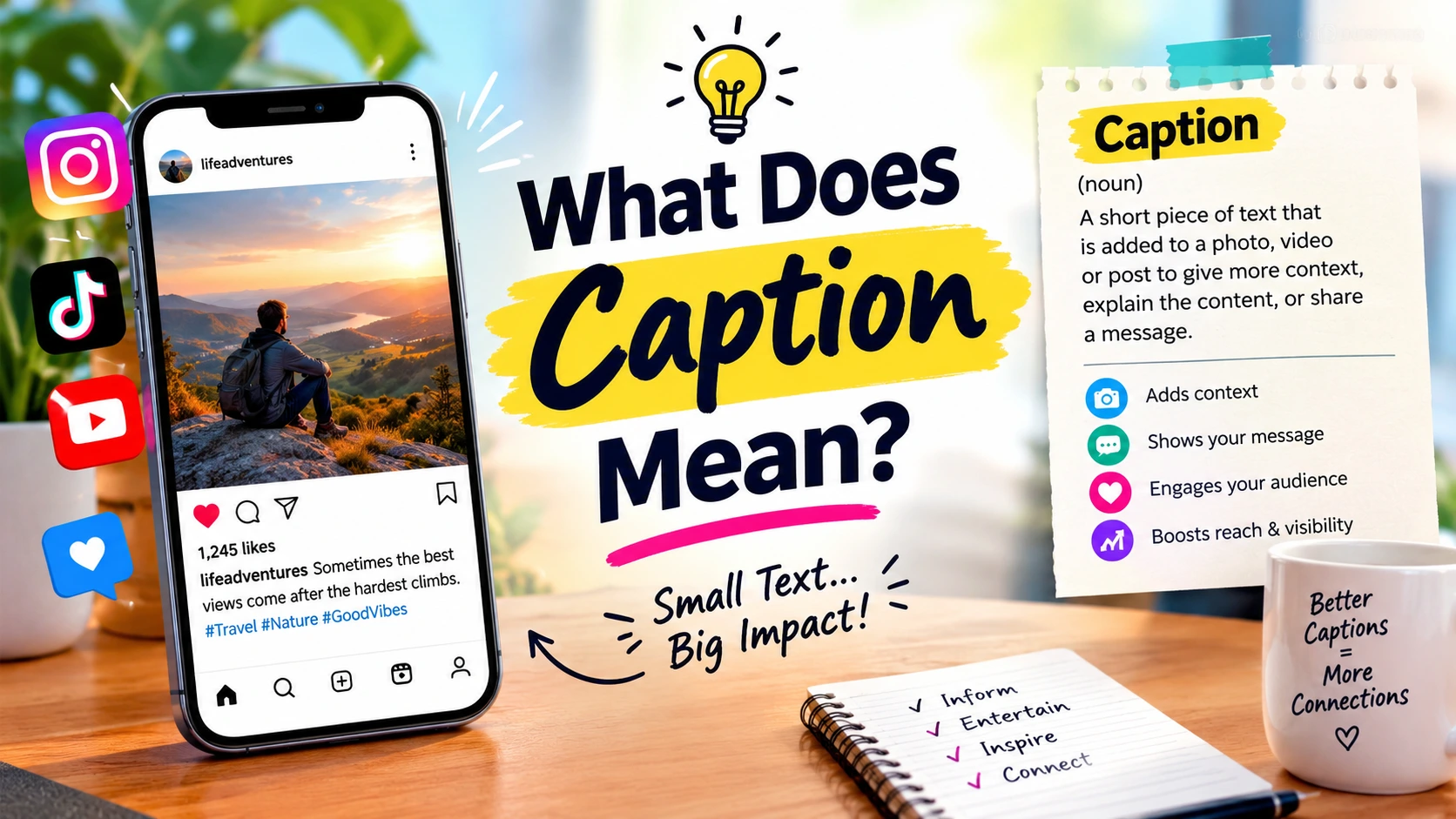
What Does Caption Mean? Definition, Types & 225 Examples
Have you ever wondered what a caption really means and why people add one to a photo or video? A caption is more than a few words beneath an image—it can explain a moment, express a feeling, tell a story, or help viewers understand what they see. On social media platforms like Instagram, TikTok, and Facebook, captions give posts extra meaning and personality. But captions also serve important purposes in news articles, educational materials, and videos. In this guide, you’ll discover the meaning of a caption, explore practical examples, understand different caption types, and learn how to choose the right words for your content.
A Caption is a short piece of text that describes, explains, identifies, or adds meaning to a picture, video, or other visual content. On social media, a caption is the written message that accompanies a post, helping people share a thought, express a feeling, tell a story, or connect with their audience.
For example, if you post a sunset photograph with the words “Some evenings remind us to slow down,” those words are the caption.
But captions are not limited to Instagram photos. They also appear in news articles, educational diagrams, presentations, videos, and everyday online conversations. Their exact purpose depends on where and how they are used.
This guide explains what a caption means in simple English, shows how captions work across different platforms, and provides 225 original examples to help you understand and write better captions.
1. What Does Caption Mean? A Simple Definition
A caption is text connected to an image, video, illustration, or social media post. It may describe what is shown, explain important details, express an emotion, or give the audience additional information.
In a video, the word can also refer to synchronized text representing speech and meaningful sounds. Cambridge Dictionary explains the everyday meaning of a caption as text under a picture that describes the image or what people are doing or saying.
English meaning – Cambridge Dictionary
Here are 15 examples showing how captions work in different situations.
- Nature photo: “Morning mist settles quietly over the hills.”
- Family picture: “Three generations, one table, countless stories.”
- News photograph: “Residents gather at the community center after the storm.”
- Educational diagram: “Figure 1: How sunlight helps plants produce energy.”
- Travel photograph: “Our first evening wandering through the old town.”
- Product post: “Designed for everyday comfort, made to last.”
- Graduation picture: “The final page of one chapter and the start of another.”
- Museum display: “A handcrafted ceramic bowl from the early twentieth century.”
- Restaurant image: “Freshly baked bread comes out of the oven each morning.”
- Science illustration: “The diagram shows how water moves through the atmosphere.”
- Sports photograph: “The players celebrate after scoring the winning goal.”
- Video dialogue: “Welcome back. Today, we are exploring a new idea.”
- Video sound: “[The audience applauds as the speaker leaves the stage.]”
- Personal achievement: “Months of practice, finally celebrated in one moment.”
- Community event: “Volunteers prepare donated supplies for local families.”
Each example provides information or meaning that helps the audience understand the content. Some captions are factual, while others are personal or creative.
2. What Is a Caption in Simple Words?
In simple words, a caption is a message written with a picture or video. It tells people something about what they are seeing or shares what the person posting wants to say.
Think of a photograph as the visual part of a story and its caption as an extra piece of that story. A good caption may explain the moment, share a memory, or communicate a feeling that the image cannot show by itself.
These 15 simple captions demonstrate the idea.
- “A little sunshine goes a long way.”
- “Today felt different in the best way.”
- “Just another page in my story.”
- “Home is my favorite feeling.”
- “A day worth remembering.”
- “Fresh air, fresh perspective.”
- “Taking life one step at a time.”
- “Here for the good moments.”
- “A small break from the busy world.”
- “Nothing fancy, just happy.”
- “One more memory for the collection.”
- “Finding beauty in ordinary things.”
- “Making room for something new.”
- “An afternoon well spent.”
- “Keeping this moment close.”
Notice that none of these captions needs to explain every detail. Sometimes a few carefully chosen words are enough to communicate a mood or memory.
3. What Is an Example of a Caption?
A caption example is a sample of text showing how a caption might be written for a particular image, video, or post. The best example depends on what the content shows and what the writer wants the audience to understand.
For instance, a photograph of a mountain might use a descriptive caption, while a business promoting hiking equipment might use a caption focused on a product or customer benefit.
Here are 15 examples with their intended contexts.
- Selfie: “A good day to feel like myself.”
- Birthday photo: “A new year of life, lessons, and little adventures.”
- Wedding photograph: “A promise made, a memory beginning.”
- Coffee photo: “The first sip makes the morning official.”
- Travel video: “Taking the scenic route, as usual.”
- Book photograph: “One more chapter before the real world returns.”
- Business announcement: “Our new collection is here, with more room for everyday comfort.”
- Fitness post: “Today’s progress started with showing up.”
- Food photograph: “A table full of flavors worth sharing.”
- Pet picture: “Small paws, enormous personality.”
- Friendship photo: “The people who make every plan better.”
- School event: “Students present their projects at the annual exhibition.”
- Product tutorial: “Follow these three steps to set up your new device.”
- News image: “Emergency teams clear debris from the main road.”
- Video accessibility: “[Phone rings twice before the speaker answers.]”
A useful way to understand a caption is to ask what it contributes. Does it identify something, explain an event, express emotion, or help the audience follow the content? If it serves one of those purposes clearly, it is doing its job.
4. What Does Caption Mean on Social Media?
On social media, a caption is the text that accompanies a photo, video, Reel, carousel, or similar post. It lets people add context and personality to content that might otherwise be open to interpretation.
A social media caption can be a single word, a sentence, a short story, a question, or a business message. It may also include emojis, mentions, hashtags, or a relevant call to action.
Here are 15 original examples for different social media situations.
- “The plan was simple. The memories were not.”
- “A little less scrolling, a little more living.”
- “Proof that the best moments rarely follow a schedule.”
- “This is your reminder to enjoy the view.”
- “The group chat finally became a real plan.”
- “Not every good day needs a special occasion.”
- “The camera caught the moment; the caption tells the story.”
- “A new favorite place has entered the rotation.”
- “Consider this my official appreciation post for today.”
- “The kind of update that deserves more than a photo.”
- “Would you choose the city lights or the quiet countryside?”
- “Somewhere between making plans and making memories.”
- “A small win still counts as a win.”
- “The best part happened just before this picture.”
- “Tell me your favorite part of the weekend.”
These captions work because they provide an emotion, a detail, or a reason to respond. A caption should still fit the actual post rather than use a question or trend just to attract attention.
5. What Does Caption Mean on Instagram?
An Instagram caption is the text accompanying a photo, carousel, or Reel. It can describe a moment, express your personality, tell a story, provide product information, or give followers context for the content.
The same photograph can communicate different messages depending on the caption. A picture of a cup of coffee, for example, might represent a peaceful morning on a personal account or a product promotion on a café’s account.
Here are 15 Instagram caption ideas for different moods and posts.
- “A little more present, a little less in a hurry.”
- “The light was right, so was the moment.”
- “Not a perfect day, just a real one.”
- “Collecting places that make me pause.”
- “A quiet kind of confidence.”
- “Some pictures hold entire afternoons.”
- “This outfit came with its own mood.”
- “A soft reminder that growth takes time.”
- “A favorite memory from an ordinary day.”
- “Weekend plans: follow the good feeling.”
- “The view deserved a permanent spot in my camera roll.”
- “A little dressed up, a lot myself.”
- “Today’s mood has no explanation.”
- “Keeping the moments that feel like home.”
- “Which photo tells the story best?”
How to choose an Instagram caption
First, identify the purpose of the post. A casual selfie may need just a few words, while a carousel explaining a trip may benefit from a short story. A business post should communicate relevant details before asking readers to take action.
A useful Instagram caption can include a strong opening, natural wording, useful context, and a relevant closing question or call to action. Hashtags and emojis can help express the tone, but neither is necessary for every post.
6. What Are the Different Types of Captions?
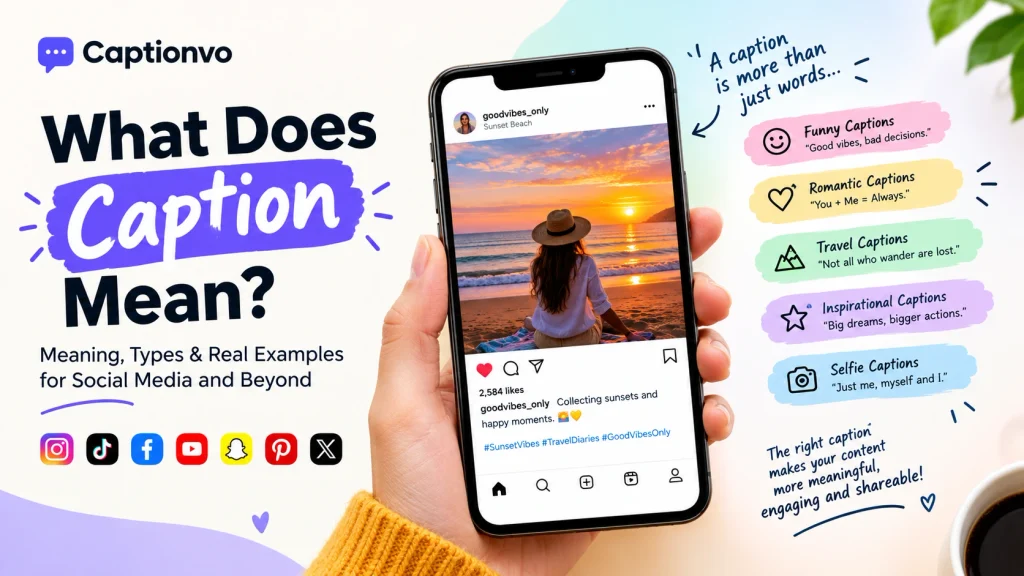
Captions come in different forms because readers need different types of information. Some identify what is in a picture, some express an emotion, and others explain a process or make video content accessible.
The examples below cover 15 distinct caption styles.
- Descriptive: “A red bicycle rests against a wall covered in ivy.”
- Informative: “The exhibition opens to visitors on Saturday.”
- Funny: “I ordered one thing and somehow adopted the entire menu.”
- Romantic: “Every familiar street feels new when we walk it together.”
- Inspirational: “You can begin again without starting from zero.”
- Emotional: “Some goodbyes leave a quiet space that time slowly fills.”
- Aesthetic: “Muted colors, soft light, and nowhere else to be.”
- Minimalist: “Less noise, more meaning.”
- Educational: “Figure 2: The stages of a butterfly’s life cycle.”
- News: “City officials inspect the repaired bridge before reopening.”
- Promotional: “Explore the latest arrivals and find the right fit for you.”
- Travel: “A different horizon, a different way of seeing things.”
- Personal achievement: “I kept going even when progress looked invisible.”
- Community: “Neighbors gather to celebrate the opening of the new garden.”
- Video accessibility: “[Soft instrumental music plays as the presenter introduces the topic.]”
The category should match the content and its purpose. A factual news photograph needs accurate identification, while a personal post has more freedom to use humor, emotion, or storytelling.
7. What Is the Purpose of a Caption?
A caption helps the audience understand or interpret content. Depending on the situation, it can identify a subject, offer context, communicate a feeling, provide useful instructions, or invite an appropriate response.
The following 15 examples demonstrate different purposes.
- Identify a person: “Photographer Amina Khan documents the evening market.”
- Explain a location: “The trail begins beside the visitor center.”
- Record an event: “Students receive awards at the annual ceremony.”
- Add a personal memory: “This was the afternoon we missed the train and found our favorite café.”
- Share a feeling: “A peaceful moment in a very busy week.”
- Teach a skill: “Turn the handle slowly until the lid locks into place.”
- Clarify a chart: “The graph compares monthly sales across three product lines.”
- Promote a service: “Book a consultation to discuss the right plan for your team.”
- Credit a creator: “Illustration by the artist featured in this month’s collection.”
- Start a discussion: “What is one small change that made your daily routine easier?”
- Celebrate a milestone: “One year of learning, building, and improving.”
- Describe a product: “The jacket features a lightweight shell and two secure pockets.”
- Explain a process: “The seedlings were transferred outdoors after the final frost.”
- Preserve historical context: “The photograph shows the station before its renovation.”
- Represent video audio: “[A warning bell sounds before the train arrives.]”
Why captions can influence engagement
A relevant caption may give people a reason to pause, understand the post, comment, save it, or follow a link. However, results depend on the quality of the content, the audience, the platform, and many other factors. No caption wording guarantees viral reach.
For personal content, authenticity may matter more than a clever formula. For educational content, clarity matters most. To a business, a caption should help the audience understand the value of the product or service without making unsupported claims.
8. What Is the Difference Between a Caption and a Title?
A title gives a name to a work, article, presentation, or section. A caption usually accompanies a particular image or visual element and provides additional information or meaning.
For example, the title A Winter Morning introduces a subject, while the caption “Fresh snow covers the benches in the city park” describes a particular scene. The two can complement each other, but they are not interchangeable in every context.
Here are 15 examples of titles paired with captions.
| Title | Caption |
| A Day at the Lake | A family enjoys a picnic beside the water on Sunday afternoon. |
| Growing a Garden | Newly planted seedlings line the raised beds. |
| The City at Night | Traffic lights reflect across the wet road after rainfall. |
| Our School Community | Students and teachers celebrate the end of the school year. |
| The Art of Baking | The baker shapes each loaf before placing it in the oven. |
| A New Beginning | The shop opens its doors to customers for the first time. |
| Life on the Farm | Workers collect fresh produce early in the morning. |
| Discovering the Coast | Small fishing boats return to the harbor at sunrise. |
| The Science of Weather | The illustration shows how warm air rises to form clouds. |
| A Musical Evening | The orchestra performs before a packed auditorium. |
| Building for Tomorrow | Engineers inspect the foundations of the new school. |
| A World of Books | Readers browse the shelves at the neighborhood library. |
| The Final Match | The goalkeeper saves a shot in the closing minutes. |
| Memories of Summer | Friends gather for one final beach walk before sunset. |
| The Power of Learning | The class demonstrates the working model they designed. |
The key distinction: a title names the overall topic; a caption explains or adds meaning to a particular visual. A caption can be longer than a title, and a title can sometimes accompany an image, but their main purposes remain different.
More to Explore:https://captionvo.com/what-is-a-caption-example/
9. What Is the Difference Between a Caption and a Subtitle?
The word caption has more than one meaning. In social media, it typically means the written message accompanying a post. In accessibility and video contexts, captions can represent spoken dialogue and other meaningful audio information.
Subtitles generally display spoken dialogue and may translate it into another language. The terminology varies among services and regions, so the actual function matters more than the label. W3C describes captions as synchronized text representing speech and other sounds needed to understand a video.
Here are 15 examples that show the difference in video contexts.
1. Dialogue: “Where did you leave the keys?” Caption with sound: “Where did you leave the keys? [Keys rattle.]”
2. Dialogue: “I will call you tomorrow.” Caption with speaker identification: “Maya: I will call you tomorrow.”
3. Dialogue: “Watch the next step carefully.” Caption with sound: “Watch the next step carefully. [Machine starts.]”
4. Dialogue: “That was unexpected.” Caption with sound: “That was unexpected. [Audience laughs.]”
5. Dialogue: “We are almost there.” Caption with sound: “We are almost there. [Car horn sounds.]”
6. Dialogue: “Please open the window.” Caption with sound: “Please open the window. [Window slides open.]”
7. Dialogue: “Welcome to our workshop.” Caption with sound: “[Upbeat music plays.] Welcome to our workshop.”
Dialogue: “I cannot believe we won.” Caption with speaker identification: “Team captain: I cannot believe we won.”
9. Dialogue: “Turn left at the next street.” Caption with sound: “Turn left at the next street. [Indicator clicks.]”
10. Dialogue: “The meeting is now finished.” Caption with sound: “The meeting is now finished. [Chairs move across the floor.]”
11. Dialogue: “Are you ready to begin?” Caption with sound: “Are you ready to begin? [A bell rings.]”
12. Dialogue: “This recipe needs one more ingredient.” Caption with sound: “This recipe needs one more ingredient. [Blender runs briefly.]”
13. Dialogue: “The train is arriving.” Caption with sound: “[Train brakes squeal.] The train is arriving.”
14. Dialogue: “That is a beautiful view.” Caption with sound: “That is a beautiful view. [Wind blows softly.]”
15. Dialogue: “Thank you for being here.” Caption with speaker identification: “Host: Thank you for being here. [Applause.]”
These examples illustrate why accessibility captions sometimes communicate more than words alone. If a sound changes the meaning or understanding of a scene, it may be important to include it.
10. What Does Closed Caption Mean?
A closed caption is on-screen text that represents a video’s dialogue and relevant audio information. Viewers can usually turn closed captions on or off using a control in the video player, often marked CC.
Closed captions can include spoken words, speaker identification when needed, and meaningful sounds such as music, alarms, laughter, or applause. Open captions, by contrast, remain visible as part of the video image.
Here are 15 examples of closed-caption text.
- “Welcome, everyone. Today’s session begins now.”
- “[Gentle piano music plays.]”
- “Speaker 1: We have three items to discuss.”
- “[A telephone rings in the next room.]”
- “Please follow the instructions on the screen.”
- “[Audience applauds.]”
- “Speaker 2: Could you repeat the last question?”
- “[Thunder rumbles outside.]”
- “The bus will arrive in approximately five minutes.”
- “[A door opens, followed by footsteps.]”
- “Narrator: The experiment begins with a clean container.”
- “[Dog barks twice.]”
- “Speaker 1: I did not expect that result.”
- “[Music fades as the credits appear.]”
- “[An alarm beeps repeatedly.] Please leave the area.”
What makes closed captions useful?
They provide a text alternative for people who are Deaf or hard of hearing and can also help viewers watching without sound or trying to follow unfamiliar material.
Accuracy matters. Automated speech recognition can mishear names, technical vocabulary, and overlapping voices. Creators should review captions for correct wording, timing, punctuation, and meaningful sounds rather than assuming auto-generated text is always correct.

11. What Is the Difference Between Open Captions and Closed Captions?
Open captions are permanently displayed within the video image. Closed captions can usually be enabled or disabled in a compatible video player.
Both can make spoken content more accessible, but the viewing experience differs. The following 15 examples demonstrate how the same kind of information can be presented as open or closed captions.
- Welcome message: Open — the words are always visible. Closed — the viewer turns the text on using CC.
- Cooking tutorial: Open — “Add the chopped onions.” appears over the video. Closed — the same words appear when captioning is enabled.
- Music scene: Open — “[Soft music plays.]” remains part of the picture. Closed — the sound description appears when enabled.
- Interview: Open — “Host: What inspired your work?” stays on screen. Closed — speaker text appears when enabled.
- Classroom video: Open — “Turn to page twelve.” is permanently embedded. Closed — the viewer chooses to display the sentence.
- Travel vlog: Open — “[Wind blows across the microphone.]” is part of the video image. Closed — the sound description can be switched on.
How Open Captions Work
- Product demo: Open — “Press the power button once.” stays visible. Closed — the viewer enables the same dialogue text.
- Sports clip: Open — “[Crowd cheers loudly.]” is embedded. Closed — the cheer description can be turned on or off.
- News report: Open — “The road reopens this morning.” remains visible. Closed — viewers choose whether to show the dialogue.
- Animated short: Open — “I have an idea!” appears permanently. Closed — the same line can be displayed with the caption control.
- Fitness video: Open — “Keep your back straight.” is embedded in the image. Closed — the viewer can toggle the instructional dialogue.
- Museum video: Open — “[Footsteps echo through the hall.]” stays visible. Closed — the sound description appears when enabled.
- Business webinar: Open — “Questions will follow the presentation.” is permanently included. Closed — viewers choose to display it.
- Nature documentary: Open — “[Birds call from the trees.]” is embedded. Closed — the same description can be enabled.
- Closing scene: Open — “[Music fades.] Thank you for watching.” is permanently visible. Closed — viewers can turn the captions on when supported.
These examples describe the display difference, not two different caption-writing styles. The text itself should still be accurate, synchronized, readable, and appropriate for the audio. W3C provides practical checks for caption availability and quality.
12. How Do You Write a Good Caption Step by Step?
A good caption starts with a clear purpose. Before writing, decide whether you need to describe something, provide context, share a feeling, teach a point, or invite a relevant action.
Follow these steps.
Step 1: Identify the content. What is the main person, place, event, object, or idea?
Step 2: Choose your purpose. Decide what readers should understand or feel.
Step 3: Add useful context. Include information that the picture or video cannot communicate alone.
Step 4: Match the tone. Keep the language appropriate for the audience and platform.
Step 5: Remove unnecessary words. A caption should not be longer than it needs to be.
Step 6: Check the details. Correct names, locations, dates, and other factual information.
Step 7: Use a call to action when appropriate. Invite a response or a next step only when it supports the post.
The following 15 adaptable examples show how to turn those principles into captions.
- Personal photo: “A small moment from a day I want to remember.”
- Travel post: “We took the longer route and found the better view.”
- Product photo: “Made for the everyday moments that matter.”
- Educational post: “Here is the easiest way to remember this concept.”
- Fitness update: “The goal was consistency, and today I kept the promise.”
- Team achievement: “A shared effort made this result possible.”
- Food post: “Crispy edges, fresh herbs, and a little extra lemon.”
- Family photo: “The people who make every return feel like home.”
- Behind the scenes: “A look at the work that happens before the final result.”
- Small business: “Hand-packed with care and ready for its next home.”
- Personal reflection: “I learned more from the difficult part than I expected.”
- Book review: “The final chapter made me rethink the first.”
- Event announcement: “Join us on Saturday for an afternoon of ideas and conversation.”
- Nature photo: “The trail was quiet enough to hear the leaves move.”
- Conversation starter: “What is one thing you would add to this list?”
A simple caption-writing formula
Use this adaptable structure when you are unsure where to start:
Main subject or moment + meaningful detail + optional next step
For example:
- Subject: A weekend hike.
- Meaningful detail: The route was difficult but rewarding.
- Caption: “A challenging trail, a beautiful view, and a reminder that the climb is part of the experience.”
You do not need all three elements every time. If a simple description is enough, stop there. If the audience needs instructions, a factual explanation, or a longer story, add the necessary context.
13. What Makes a Good Caption for Instagram, TikTok, and Facebook?
The best caption depends on the platform, audience, and content format. An Instagram photo caption may support a visual story, a TikTok caption may introduce the point of a short video, and a Facebook caption may provide more context for a community update or event.
No universal caption format guarantees more engagement. These 15 examples show different approaches for different platforms.
Instagram caption examples
- “An ordinary day, kept for the memories.”
- “This corner of the world deserves another visit.”
- “A little color for a quiet afternoon.”
- “The behind-the-scenes version was even better.”
- “Which frame would you keep?”
TikTok caption examples
- “The part we almost left out.”
- “Three things I wish I knew before trying this.”
- “Wait for the tiny detail at the end.”
- “A quick experiment with a surprisingly useful result.”
- “Trying this once so you can decide whether it is worth it.”
Facebook caption examples
- “We are grateful to everyone who helped make the community event possible.”
- “Here are the details for Saturday’s workshop, including the time and location.”
- “Sharing a few moments from our team’s latest project.”
- “What is one local place you would recommend to a first-time visitor?”
- “Thank you to everyone who shared ideas and feedback during this week’s meeting.”
Platform comparison
| Platform or format | Useful caption approach | Practical tip |
| Instagram Posts | Visual context, personality, storytelling | Put the main thought near the beginning |
| Instagram Reels | A short hook plus useful context | Make sure the caption matches the video |
| TikTok | Introduce the topic or idea | Avoid promising a result the video does not deliver |
| Context, community, event information | Include important practical details when relevant | |
| Snapchat Stories | Brief, immediate, conversational text | Keep wording easy to read at a glance |
| Descriptive text explaining the idea or project | Use accurate language about the image or resource | |
| Threads | A conversational thought or discussion starter | Write naturally and make your point clear |
Treat these as writing recommendations, not guaranteed ranking or reach formulas. Platform features change over time, so check the relevant platform’s current publishing and accessibility guidance when a feature matters to your workflow.
14. What Are the Most Common Caption-Writing Mistakes?
A caption can lose its impact when it feels disconnected from the content, hides important information, or uses generic wording that says very little. Improving it does not necessarily mean adding more words; it often means choosing more relevant ones.
Here are 15 common mistakes, each followed by a stronger alternative.
1. Too vague: “Nice day.” Better: “A long walk, cool air, and the first signs of autumn.”
2. Repeating the image: “Me sitting in a café.” Better: “Found a quiet corner and finally finished the book.”
3. Overly formal personal caption: “I experienced considerable enjoyment at the event.” Better: “I am still smiling about last night’s show.”
4. Too much explanation: “I went to the beach today and walked around for a while and took several photos of the sunset.” Better: “An evening walk that ended in the perfect sunset.”
5. Unclear business message: “We have something special.” Better: “Our new handmade notebooks are available in three colors.”
6. Forced engagement question: “Comment below if you agree with everything I just said.” Better: “Which part of this idea would you try first?”
7. Unsupported product promise: “This product will solve every problem.” Better: “Designed to help simplify your daily routine.”
Generic motivational line: “Never give up.” Better: “Today’s small effort is part of the progress you cannot see yet.
9. Unclear event announcement: “See you there soon.” Better: “Join us at the community hall on Saturday at 3 p.m.”
10. Too many emojis: “Amazing day 😍🔥💯✨🙌❤️.” Better: “An amazing day with people who make it even better. ✨”
11. Irrelevant hashtags: A caption filled with tags unrelated to the photo. Better: “A first look at our spring collection, featuring lightweight everyday layers.”
12. Copied wording without personal context: “Living my best life.” Better: “Finally took the day trip I had been planning since winter.”
13. Unclear reference: “That thing we discussed is finally here.” Better: “The new photography workshop schedule is now available.”
14. Incorrect photo information: Naming the wrong place or person. Better: Confirm the location and identities before publishing, then state the verified details clearly.
15. Unreviewed video captions: Automatically generated dialogue contains incorrect words or misses an important sound. Better: Review the transcript, correct errors, identify speakers when needed, and include meaningful audio information.
A final caption checklist
Before publishing, ask yourself whether the caption matches the content, uses an appropriate tone, adds something useful, and contains accurate information. For promotional posts, check that product statements are supportable. For video, check accessibility and synchronization as well as spelling.
15. People Also Ask About Caption Meaning
A: A caption is text that accompanies a picture, video, or other visual content to describe it, identify it, explain it, or add meaning. Example: “The first snowfall covers the rooftops overnight.”
A: It usually means the written text that accompanies a social media post. The caption might describe the content, tell a story, express a feeling, or invite an appropriate response.
A: On Instagram, a caption is the text added to a photo, carousel, or Reel when publishing a post.
A: A simple caption is a short sentence that describes or adds context to a visual.
Conclusion
Understanding what a caption means helps you communicate more clearly, whether you are describing a photograph, writing an Instagram post, publishing a business announcement, or making a video more Accessible.
A caption can identify a subject, add context, express a feeling, explain a process, or represent dialogue and meaningful sounds. The best format depends on the audience and the purpose of the content.
Before publishing, choose a caption that fits your message, check that its information is accurate, and remove any words that do not help the reader. For creative posts, focus on authenticity and relevance rather than trying to make every caption sound viral.
Bookmark this guide as a reference, and explore Captionvo’s related caption resources when you need examples for a specific platform or situation.